Online Check-in - How to Connect to SES.HOSPEDAJES
Learn how to register your property on SES.HOSPEDAJES and connect it to your Holidu account for automatic guest check-in processing. This guide takes approximately 3 minutes to read.
What is SES.HOSPEDAJES?
SES.HOSPEDAJES is the official platform developed by the Spanish Ministry of the Interior to comply with Royal Decree 933/2021. It acts as a centralized system for reporting guest information to the Ministry as required by law. When you connect this platform to your Holidu account, guest registration forms are automatically submitted once check-in is completed.
Important: Imported bookings (those not created directly through Holidu) are not linked to SES.HOSPEDAJES. Holidu cannot automatically send guest information for these bookings. You must collect and manually submit the data through your SES.HOSPEDAJES account.
How to Register and Connect with SES.HOSPEDAJES
Step 1: Create Your SES.HOSPEDAJES Account
Head to the website of the Ministerio Del Interior to begin your registration or login process. Click on "Hospedajes y alquiler de vehículos."
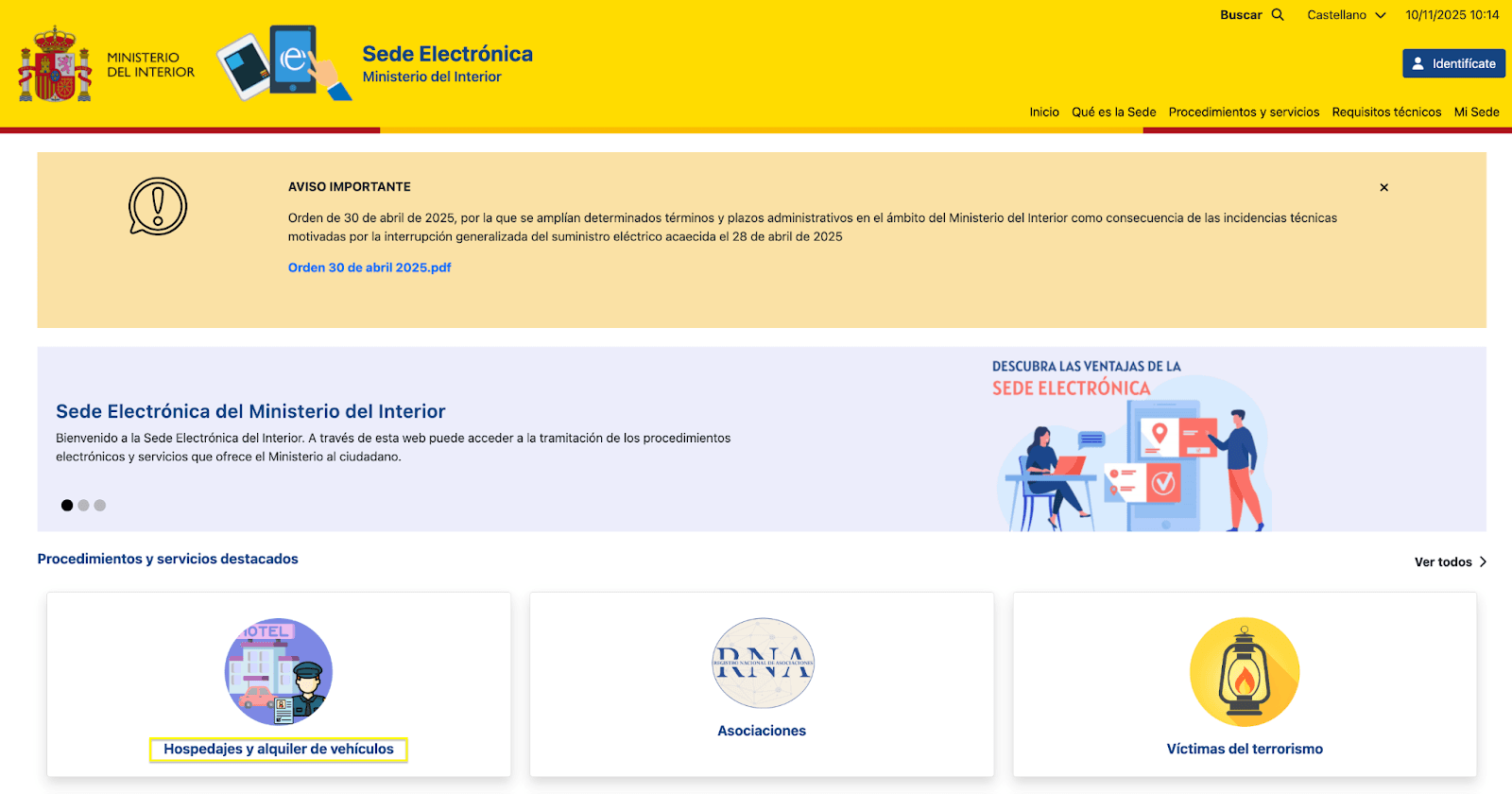
You have 3 registration options:
- Acceso al registro de establecimientos y entidades: Choose this if you have no account yet and no Cl@ve registration
- Acceso a la consulta y envío de comunicaciones de actividades de hospedajes o alquiler de vehículos: Use this if you already have a Cl@ve registration
- Existing login access: If you already have a login, use this option
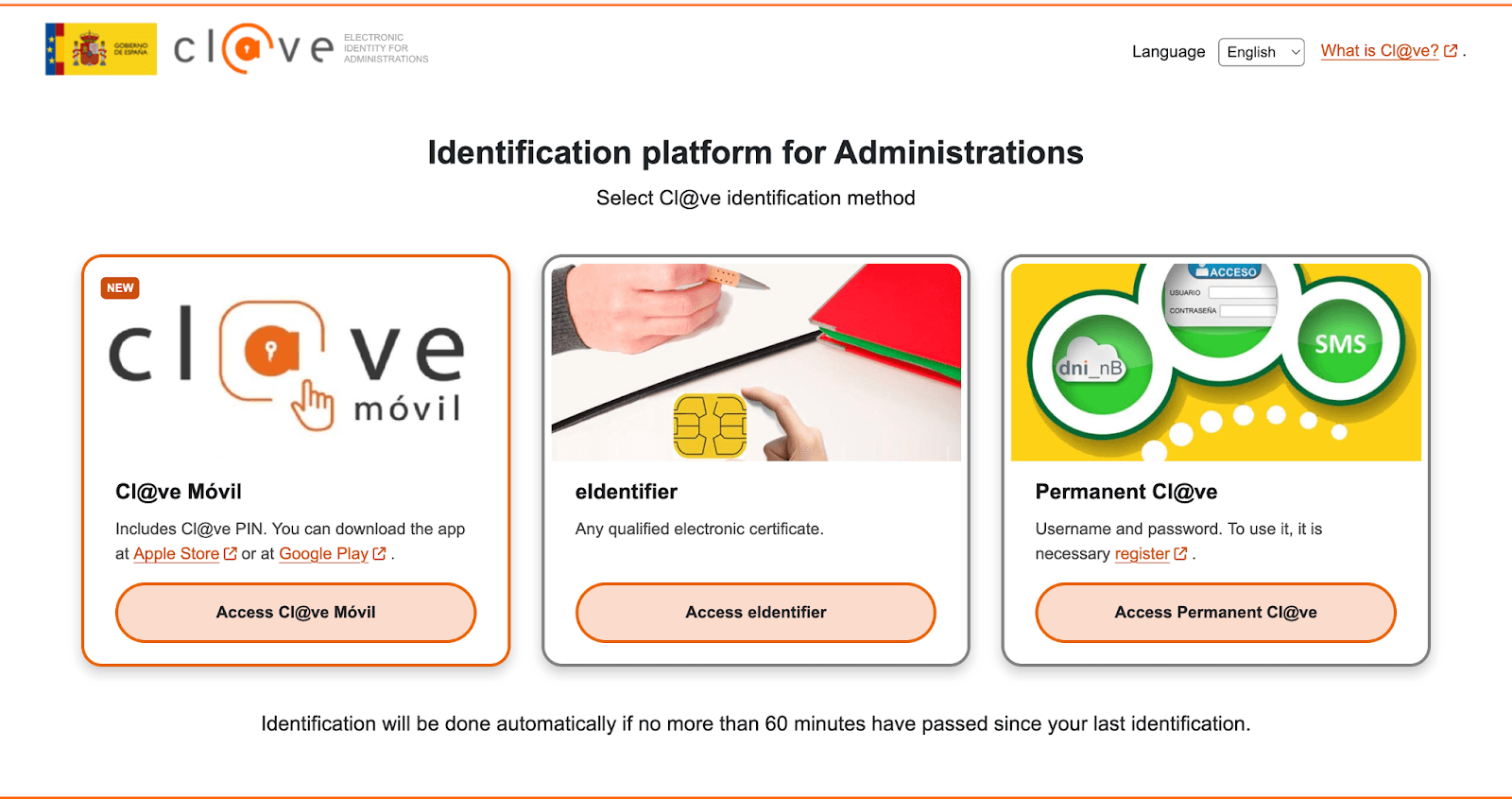
Step 2: Select Your Verification Method
Obtain and install a Digital Certificate or use Cl@ve PIN/DNIe. If needed, request a digital certificate via FNMT or register with Cl@ve. Then click the "@" icon on the SES.HOSPEDAJES portal to begin.
Step 3: Access Your Account and Choose Registration Type
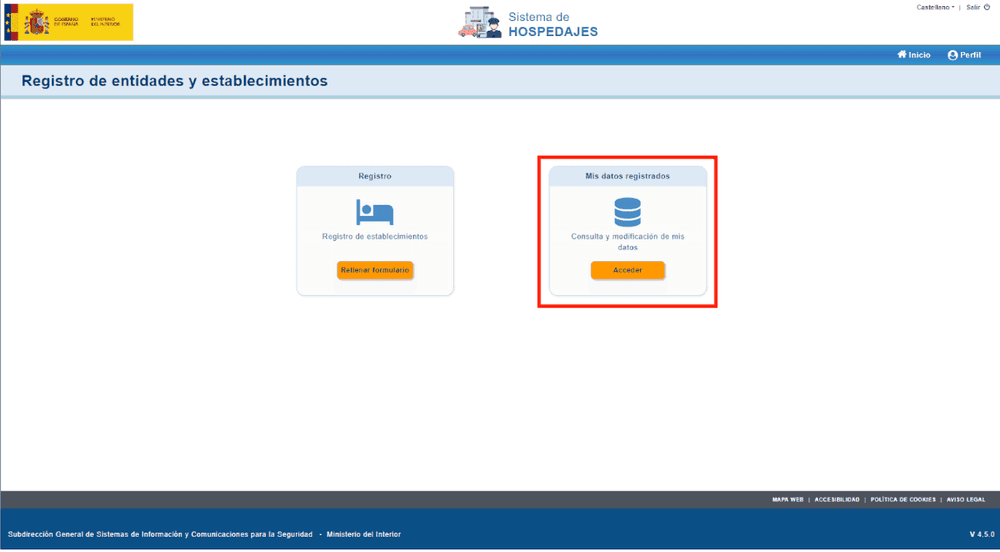
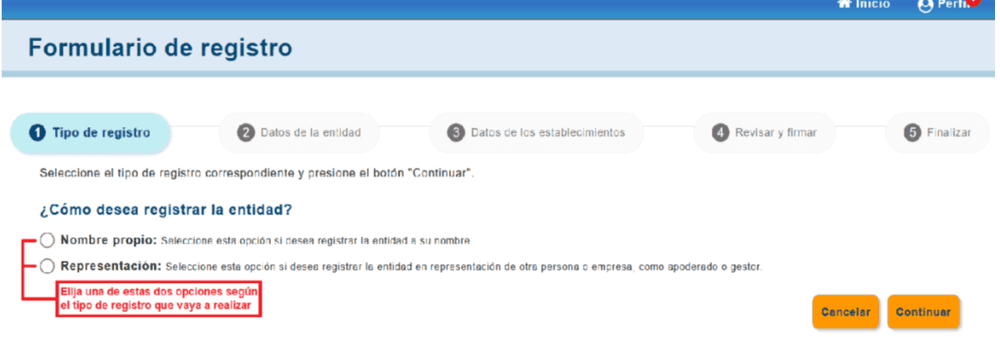
Once logged in, go to "Registro de entidades y establecimientos." Select the type of registration (for example, "Hospedaje turístico") before continuing.
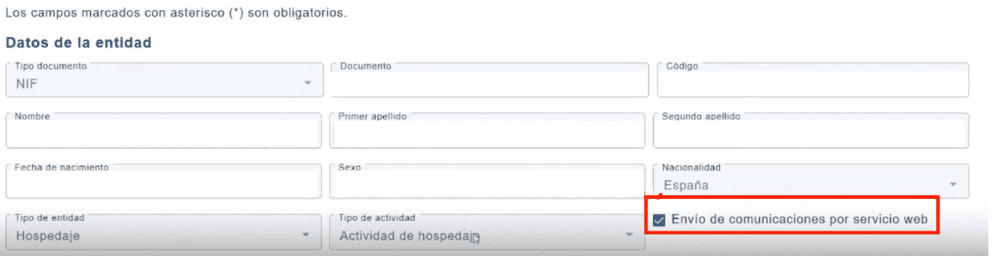
Step 4: Complete Your Registered Data
Open "Mis datos registrados" and fill in all required fields. Most importantly, tick the box for "Envío de comunicaciones por servicio web." You must check this box before signing, otherwise your web service credentials will not be generated correctly.
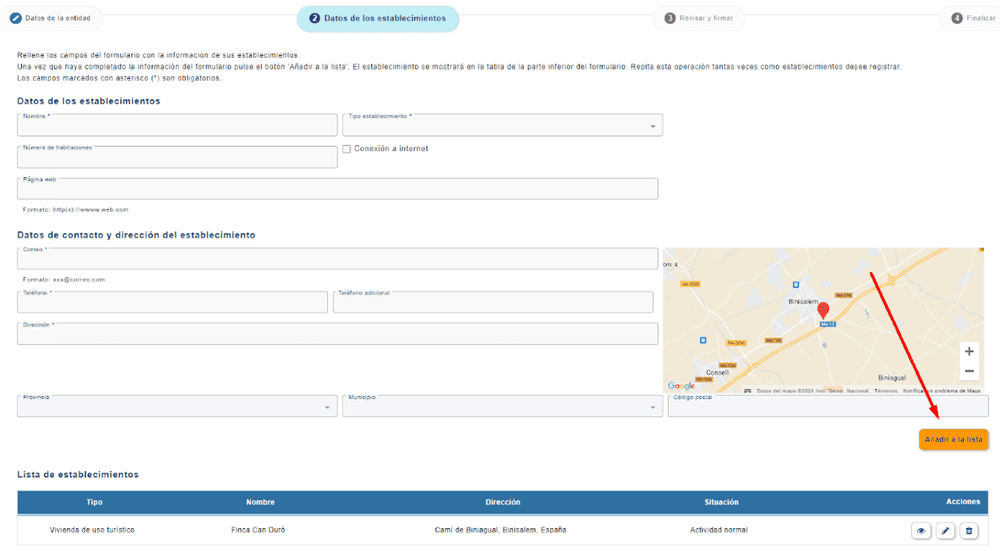
Step 5: Register Your Properties
Once your personal data is complete, proceed to register each property with its corresponding information including name, address, and license number.
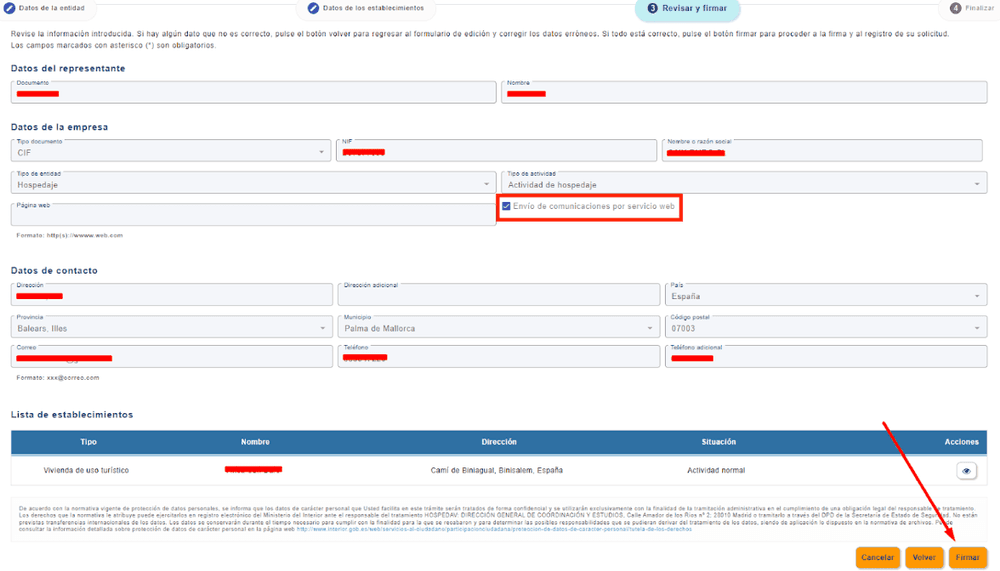
Step 6: Review and Sign
Review your information and sign using Autofirm@ or Cl@ve Firma. Make sure the web service option is active before signing.
Step 7: Receive Your Credentials
After signing, you will receive an email from containing your login credentials. These will include your owner code, property code, and web service credentials (ending in "WS") required for activating automatic guest check-in.
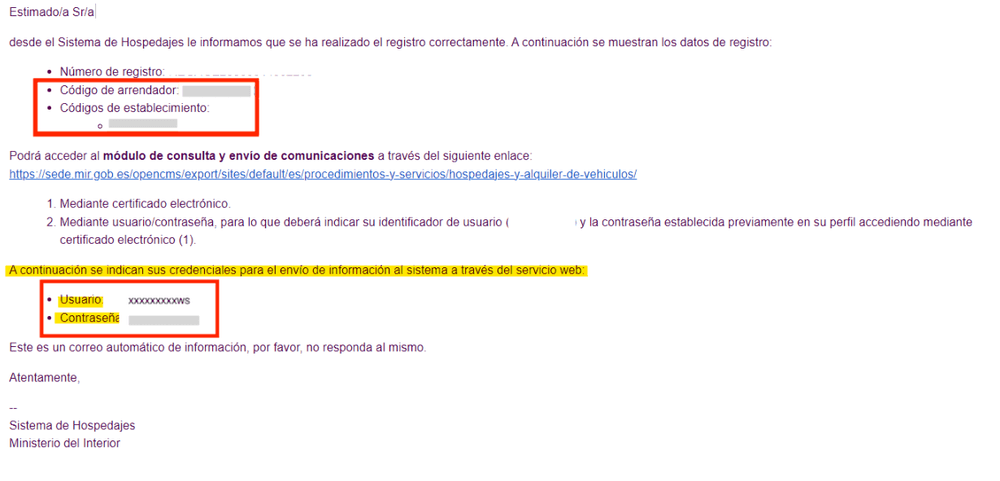
Save these credentials securely – you will need them to enable automatic guest check-in transfers from Holidu.
How to Configure Online Check-in on Holidu
The Online Check-in feature connects your property directly with SES.HOSPEDAJES. Once set up, Holidu automatically transfers guest data after each guest completes the online check-in form. Follow these steps to connect your SES.HOSPEDAJES account to Holidu.
Note: Make sure you are using the latest version of the Holidu app before starting.
- Open the Holidu app
- Go to The Holidu Logo on the top right side → Account → Online Guest Registration
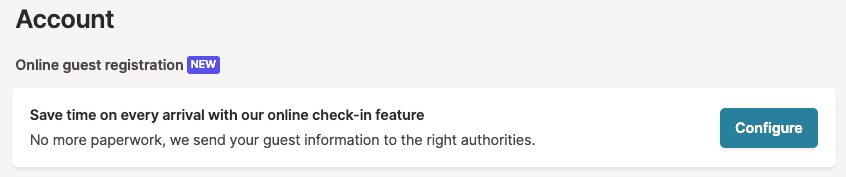
- Click on Configure next to the property you want to connect
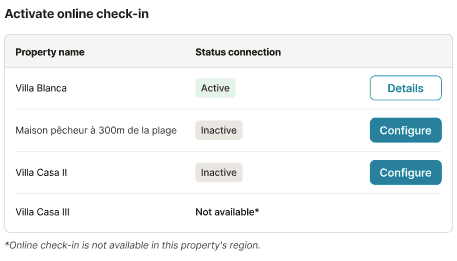
- Fill in the connection form:
- Click Statistics connection
- Select SES.HOSPEDAJES
- Enter your credentials from the SES.HOSPEDAJES email (Username, Password, Accommodation code, Landlord code)
- Click Validate
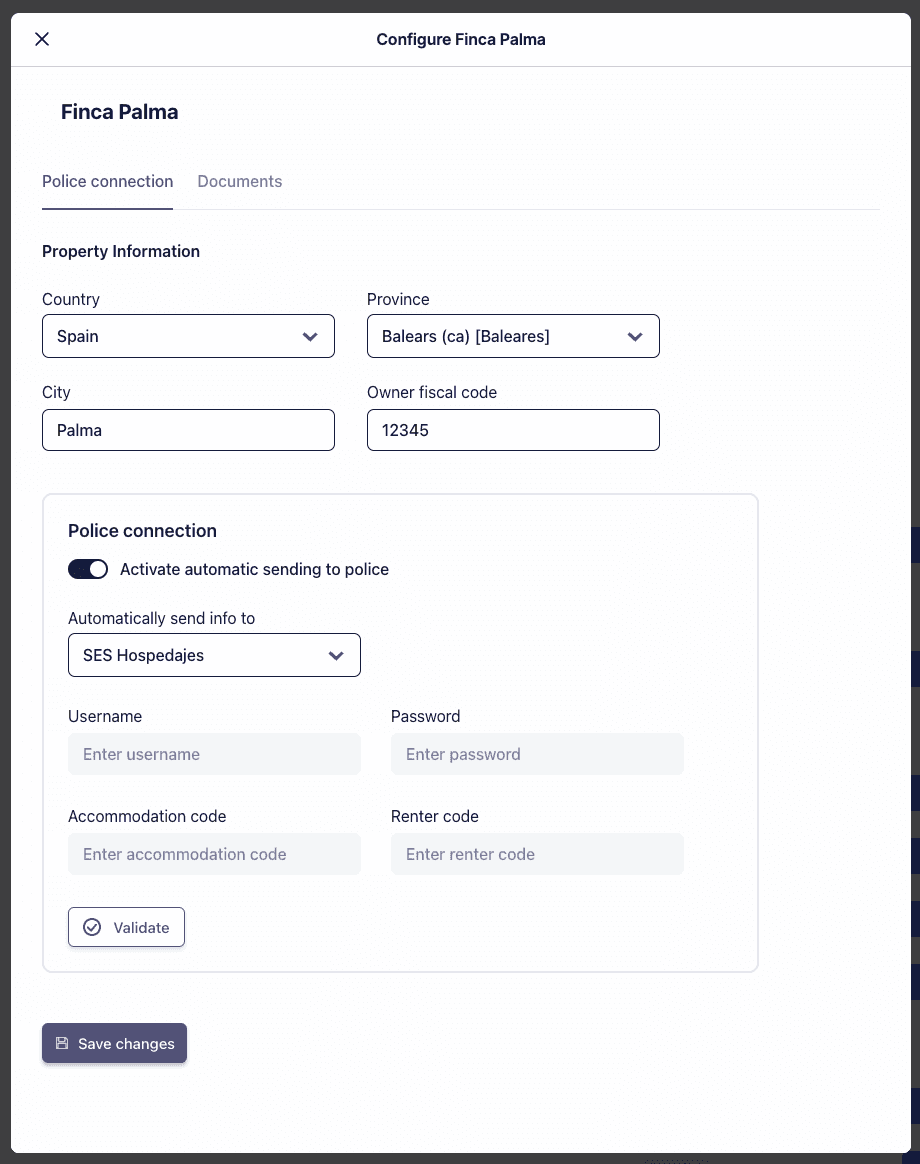
- Click Save changes
- If no error appears, your connection is active
Regional note: Properties in Catalonia should select Mossos d'Esquadra, or properties in the Basque Country should select Ertzaintza, respectively.
Resolving SES.HOSPEDAJES Credential Issues
If you face any issues with your credentials, follow these steps:
- Access the SES.HOSPEDAJES platform by clicking here
- Select the "@" sign for "Access to the Registry of Establishments and Entities"
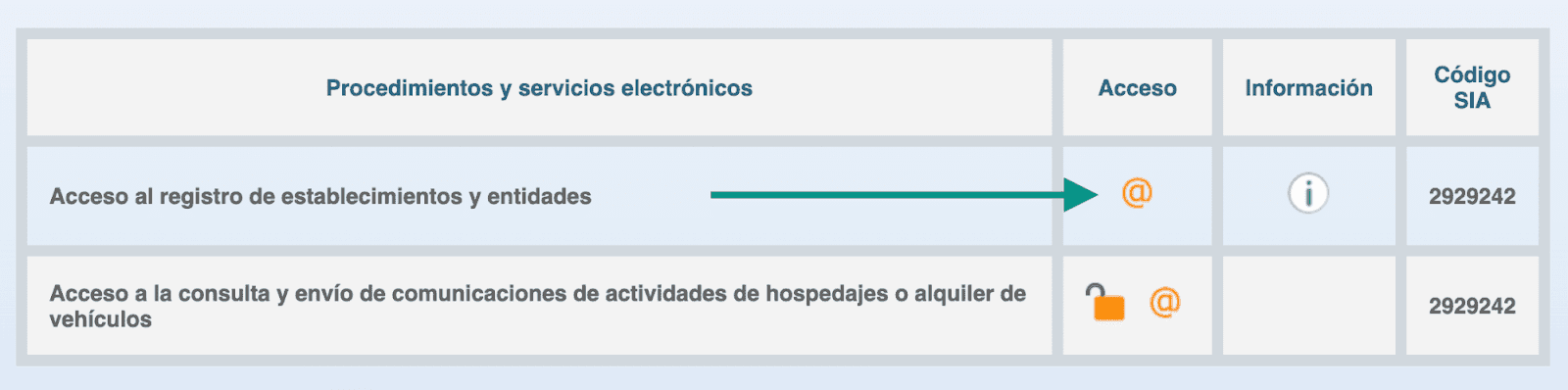
- Log in using your Digital Certificate or Cl@ve app
- Once logged in, click on the "Access" option under Communication Service
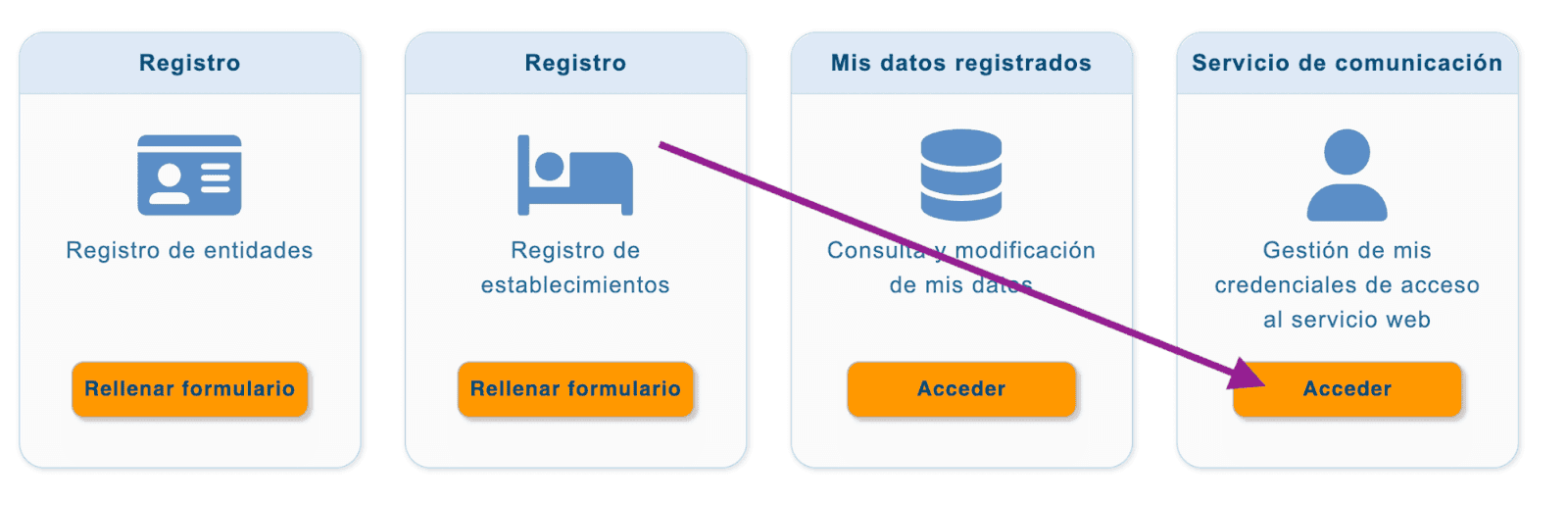
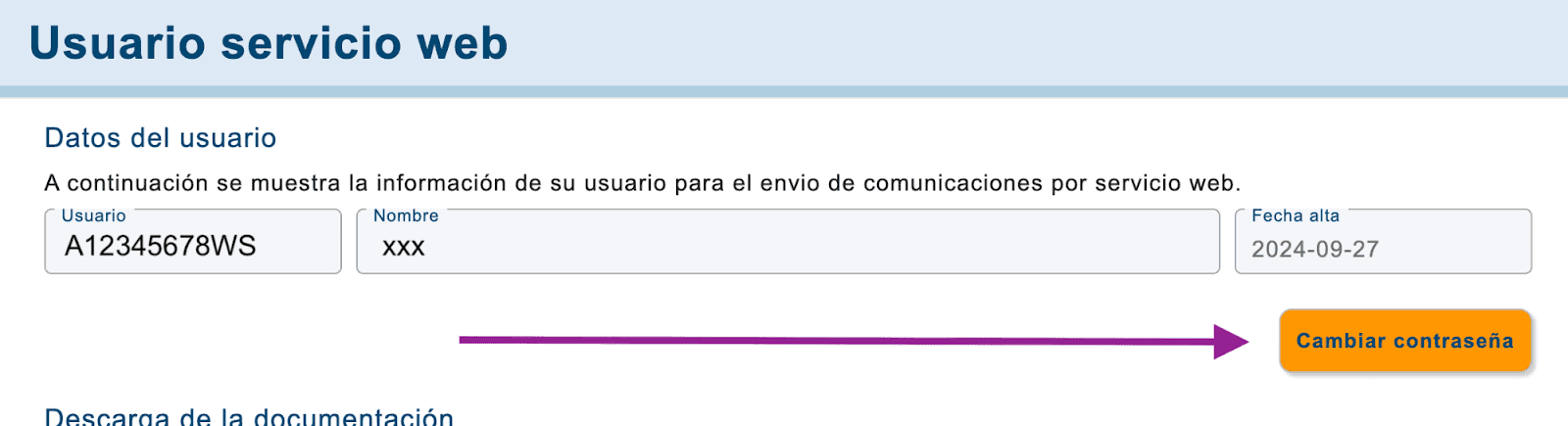
- Copy the Username from the left column and click "Change Password" to update the existing password for sending Guest Registration forms
Important consideration: Once the Online Check-in feature is activated, guests will receive the check-in form automatically for eligible bookings. If SES.HOSPEDAJES credentials are incomplete or incorrect, the form will still be sent, but the automatic transfer of data to authorities will fail.
Next Steps
For frequently asked questions about the guest check-in feature, click here.
Once your connection is active, guest data will be automatically transferred to SES.HOSPEDAJES after each successful online check-in, ensuring compliance with Spanish regulations.
Do you want to contact us?
We’re here to help. You can contact us directly if you need assistance or have questions.
Contact us